Interface Preview
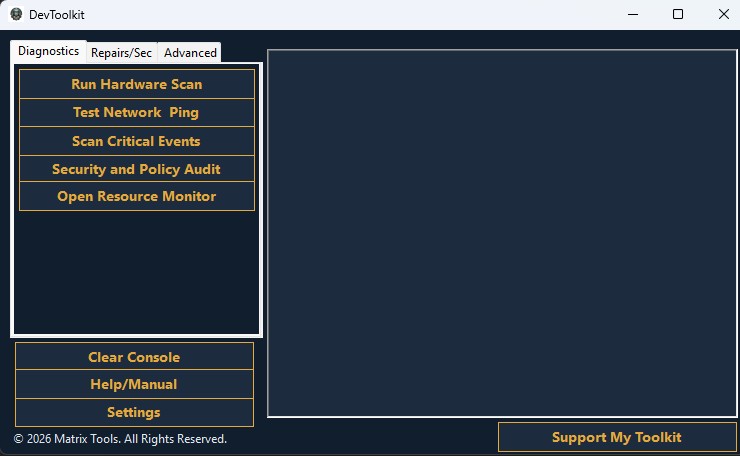
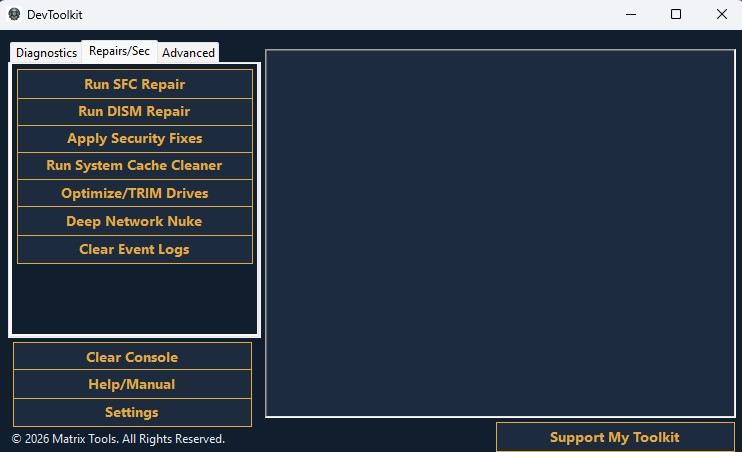
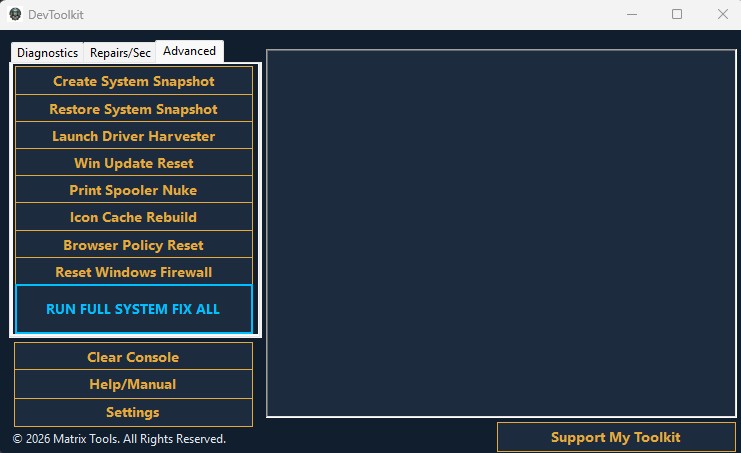
The offline, portable diagnostic scanner built to save hours of manual troubleshooting on Windows systems.
Download v1.0.0 .ZIP (Free)SHA-256: AEB5DBF9A9DF75C1DDD8E2DA036EDD5C7CB429C8FED205F4C569A3277F42C965
42.6 MB • Windows 10/11
To verify hash: Open PowerShell in your download folder and run:
Get-FileHash -Path ".\DevToolkit.zip" -Algorithm SHA256
Instantly queries the Windows Management Instrumentation (WMI) to pull deep-level telemetry including exact OS version, logical core count, motherboard serials, and physical RAM health without opening command prompt.
Maps all active physical and logical drives, checks for filesystem integrity (NTFS/FAT), calculates exact remaining byte space, and visually flags critically full partitions that could cause OS hanging.
Bypasses the slow Windows Event Viewer. Automatically scrapes the last 7 days of critical system crashes and fatal errors, compiling them into an easy-to-read list.
Verifies active network ping connectivity instantly and runs an automated check of baseline Windows security postures.
Never brick a system. Instantly trigger a forced Windows System Restore point before executing any deep-level registry or file system changes, ensuring you always have a known-good rollback state.
Silently execute native DISM commands to scrape and export every OEM-specific driver from the host machine to your USB drive. Save hours of hunting for proprietary drivers after a clean install.
Automatically terminates the wuauserv and bits services, flushes corrupted payloads from the SoftwareDistribution cache, and cleanly restarts the update subsystem.
Stops the Print Spooler service, force-deletes all stuck .SHD and .SPL files hidden in the System32 spool directory, and restarts the service in under two seconds.
The ultimate "walk away" button. Execute your entire suite of system integrity checks (SFC/DISM), cache clears, and network resets sequentially in a single automated pipeline while you work on another machine.